


Spam Filtering Best Practices for DFW Dental Office Inboxes

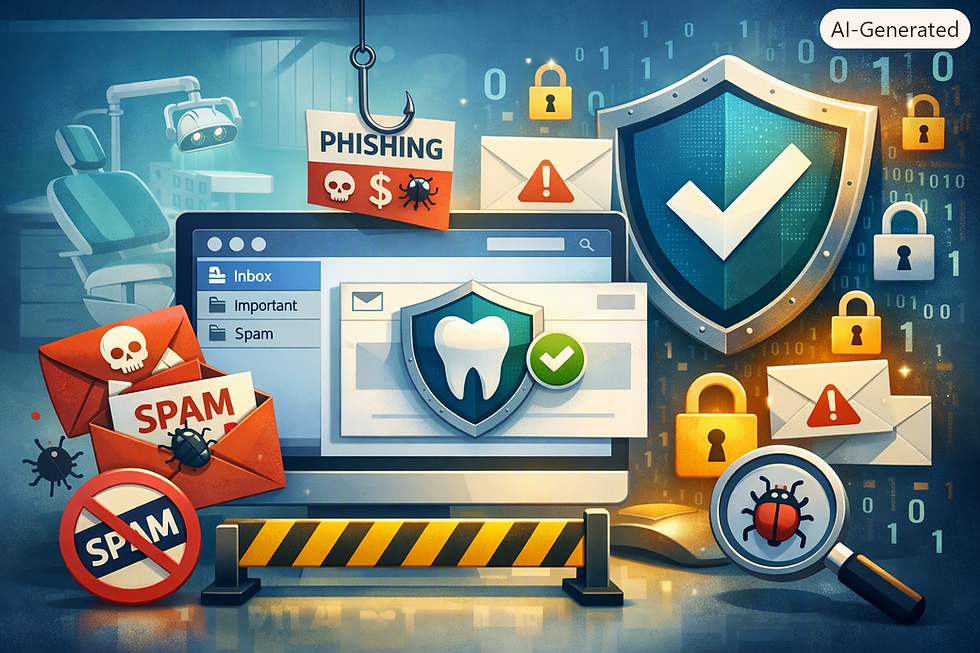
Spam—unsolicited, often malicious email—consumes staff time and creates security risks. Front desk staff spend time deleting unwanted email, spam can hide legitimate important email in cluttered inboxes, and spam is frequently a vector for phishing attacks, malware distribution, and Business Email Compromise schemes. For DFW dental practices, uncontrolled spam reduces productivity and increases security exposure.
Many practices assume spam filtering is handled automatically by email providers (Gmail, Outlook, etc.) and don't consider additional protections. While email providers offer basic spam filtering, DFW practices can significantly improve filtering effectiveness through configuration, policy, and supplemental tools. Yet many practice owners and office managers lack understanding of how spam filtering works and what controls are available.
This comprehensive guide explains how spam filtering works, why default filters may be insufficient for dental practices, and what best practices DFW offices can implement to improve filtering effectiveness.
Understanding Email Spam and Filtering Basics
What Constitutes Spam
Spam is broadly defined as unsolicited email. Categories include:
Marketing Email: Legitimate companies send marketing email to anyone who provided their email address, or who is on purchased mailing lists. Much marketing email is wanted (subscribers want promotional email), but much is unsolicited.
Phishing Email: Attackers send emails impersonating legitimate organizations, asking recipients to click links to fake login pages or download malware. Phishing is deceptive and malicious.
Scam Email: Advance-fee scams, lottery scams, fake invoice scams, and other fraudulent schemes arrive via email.
Malware Distribution: Emails with malicious attachments designed to compromise recipients' computers or networks.
Business Email Compromise: As discussed previously, BEC attacks impersonate colleagues or management requesting actions that compromise security or finances.
How Email Providers Filter Spam
Email filtering works through multiple techniques:
Content Analysis: Filters examine email content for characteristics associated with spam (excessive use of certain words, suspicious formatting, etc.). Machine learning algorithms trained on millions of emails identify patterns associated with spam.
Sender Reputation: Filters check the reputation of email senders. Senders with histories of sending spam get lower reputations. Emails from low-reputation senders are filtered. Conversely, emails from established senders with good reputations are trusted.
Authentication Checking: Filters verify SPF, DKIM, and DMARC (email authentication protocols discussed in a previous article). Emails that fail authentication checks are flagged as suspicious.
Known Blacklists: Filters check sender IP addresses and domains against blacklists of known spammers and malware distributors. Emails from blacklisted senders are filtered.
Link and Attachment Analysis: Filters scan email links and attachments for known malicious URLs or malicious file signatures. Suspicious links may be blocked or redirected through scanning services.
User Feedback: Filters learn from user feedback. When users mark emails as spam, filters become more aggressive at filtering similar future emails.
Limitations of Default Filtering
While email provider filters are reasonably effective at catching obvious spam, they have limitations:
False Negatives: Spam that reaches inboxes despite filtering. Sophisticated spam and phishing can bypass default filters.
False Positives: Legitimate email caught by filters and sent to spam folders. Users miss important emails.
Business-Specific Context: Default filters don't understand your practice's business context. Emails from known vendors, labs, or partners should be trusted, but filters may not know this.
Emerging Threats: New spamming and phishing techniques emerge constantly. Filters are reactive; new threats are not blocked until filters are updated.
Why Dental Practices Need Enhanced Filtering
Security Risks of Unfiltered Email
Dental practices handle patient information and payments, making them attractive targets for phishing, BEC, and malware attacks. Unfiltered email dramatically increases attack exposure:
Phishing emails reach staff inboxes and trick them into compromising credentials or disclosing information
Malware attachments reach staff and infect computers when opened
BEC emails reach staff and convince them to take inappropriate actions
Malicious links in spam can compromise systems if clicked
Illustrative scenario: Consider a common attack pattern documented across healthcare: a staff member opens a malicious attachment in a spam email that slipped past default filtering, and ransomware then encrypts the practice's computers. Ransomware remains one of the most disruptive threats facing dental and other healthcare providers, and email attachments are a frequent entry point. Practices should never assume ransom payment guarantees recovery—the more reliable defenses are strong filtering that quarantines or sandboxes suspicious attachments, combined with tested, offline backups.
Productivity Impact of Spam
Excessive spam consumes staff time:
Staff spend time sorting through spam to find legitimate emails
Legitimate emails may be missed when buried in spam
Staff distraction from spam affects productivity
A practice receiving 200+ spam emails per day (common in unfiltered environments) represents significant time waste. Even if each email takes only 5 seconds to review and delete, 200 emails × 5 seconds = 1,000 seconds (about 17 minutes) per day; across 250 working days that is roughly 4,200 minutes (~70 hours) of staff time per year lost to spam.
Regulatory and Compliance Considerations
HIPAA's Security Rule requires reasonable safeguards against unauthorized access to patient information. Unfiltered email allowing phishing and malware puts patient information at risk. Demonstrating that you have implemented reasonable email filtering protects your compliance posture.
Implementing Enhanced Email Filtering for DFW Practices
Evaluating Your Current Filtering Situation
Before implementing additional filtering, assess current state:
1. How much spam reaches your inboxes? Ask staff approximately how many spam emails per day they see in their inboxes (not spam folders). High volumes indicate filtering gaps.
2. What types of spam are prevalent? Ask staff what types of emails they see most: promotional? Phishing? Malware? Scams? This identifies what filtering needs to address.
3. Do legitimate emails reach spam folders? Ask if staff notice missing important emails that ended up in spam folders. This indicates false positives creating risk.
4. What filtering is currently in place? Review your email provider's filtering settings. Is it configured? What policies are in place?
5. Do you have supplemental filtering? Are additional email security tools deployed? Many practices don't realize they can add supplemental filtering beyond their email provider.
Configuring Email Provider Filtering
Most email providers (Outlook, Gmail, etc.) offer filtering configuration in their admin consoles:
Spam Confidence Levels: Adjust how aggressively spam is filtered. Higher sensitivity catches more spam but risks false positives. Adjust to balance your practice's tolerance for spam vs. missing legitimate email.
Authentication Enforcement: Enable requirements that emails must pass SPF/DKIM/DMARC checks. Emails from external senders (not your domain) that fail authentication can be filtered or flagged.
External Email Warnings: Many email providers can add warnings to emails from external senders, alerting staff that emails came from outside your organization. This helps staff be more cautious with external emails.
Attachment Filtering: Block attachment types commonly used for malware distribution (executable files, script files, etc.). Balance security vs. legitimate business needs (some vendors send legitimate executable installers).
Link Rewriting: Some systems can rewrite links so that link destinations are scanned before users click them. This can prevent malware distribution through links.
Advanced Threat Protection: Many providers offer advanced threat protection (additional cost) that includes sandbox analysis of suspicious attachments and URL analysis to detect malicious links.
Supplemental Email Security Tools
Beyond email provider filtering, dental practices can deploy supplemental email security tools:
Email Gateway Security Appliances: Security appliances deployed at the practice's network edge screen all incoming email before it reaches email servers. These appliances provide an additional layer of filtering using different techniques than email provider filtering. Examples include Cisco ESA, Fortinet FortiMail.
Email Security Add-On Services: Third-party vendors provide email security services that integrate with email providers. These services add filtering on top of email provider filtering. Examples include Proofpoint, Mimecast.
Advanced Threat Detection: Some tools use artificial intelligence and machine learning to detect sophisticated phishing and malware that traditional filters miss.
Content-Based Filtering Policies
Establish policies on what content should be filtered:
Block Known Malicious Sources: Maintain blocklists of known phishing and malware sources. Update these regularly from threat intelligence sources.
Filter Suspicious File Types: Block or quarantine executable files, scripts, and other file types that commonly distribute malware.
Filter Suspicious Link Patterns: Filter emails with links to known phishing domains or domains flagged as suspicious.
Block Mass Mailings: Use rules to identify and filter mass mailing campaigns (same email sent to many recipients) that are likely spam.
DomainAllowlist and Blocklist: Maintain a whitelist of trusted senders (vendors, partners) that should never be filtered, and a blacklist of known malicious or spammy senders.
User Education and Reporting
Staff are the final line of defense against spam and phishing:
Train Staff on Recognizing Phishing: Help staff identify phishing emails (suspicious sender addresses, requests for credentials, urgent language, etc.).
Establish Reporting Procedures: Give staff clear procedures for reporting suspected phishing or malware. Staff should be able to report suspicious emails to IT or security team.
Reward Reporting: Rather than penalizing staff when they miss phishing, reward staff who report suspicious emails. This encourages reporting.
Explain Filtering Decisions: When legitimate emails are filtered to spam, explain to staff why (helps them understand filtering logic). When obvious spam reaches their inbox, explain why (helps them understand remaining gaps).
Keep Training Current: Phishing and spam techniques evolve constantly. Periodic refresher training keeps staff aware of emerging threats.
Best Practices for Spam Filtering Configuration
Balancing Security vs. False Positives
The tighter you filter, the more you reduce spam, but the higher the risk of legitimate emails being filtered. Find balance:
Start with moderate filtering; gradually increase aggressiveness if spam volumes are high
Monitor false positives (legitimate emails reaching spam); if unacceptable, reduce filtering
Use allowlists for trusted senders; this reduces false positives for important communications
For external senders you trust, add to allowlist to ensure their emails reach inbox
Handling False Positives Systematically
When legitimate emails are incorrectly filtered:
1. Identify and Whitelist: Add the sender to allowlist so future emails from that sender are not filtered
2. Analyze Why It Happened: Did filtering catch legitimate email because of content characteristics? Can you adjust rules to prevent recurrence?
3. Document Patterns: Track false positives to identify patterns (certain types of emails repeatedly misfiltered)
4. Adjust Rules: Refine filtering rules to reduce false positives without increasing false negatives (spam reaching inbox)
Maintaining Filtering Over Time
Spam filtering requires ongoing maintenance:
Regular Review: Monthly or quarterly, review filtering effectiveness. Are spam volumes increasing? Are false positives increasing? Adjust accordingly.
Update Threat Intelligence: Keep blacklists and threat intelligence current. Most tools update automatically, but verify.
Monitor for Emerging Threats: Stay aware of new spam and phishing campaigns targeting healthcare or dental practices. Adjust filtering as needed.
User Feedback: Regularly ask staff whether they see too much spam or if too much legitimate email reaches spam. Use feedback to adjust.
Test Filtering: Periodically send test phishing emails to staff to verify they recognize phishing. Use results to identify training gaps.
Documenting Filtering Policies
Document your email filtering approach:
What filtering rules are in place and why?
What thresholds are configured (spam confidence levels, attachment filtering, etc.)?
What allowlists and blocklists are maintained?
How are false positives handled?
How is filtering adjusted over time?
Who is responsible for filtering administration?
Documentation helps ensure consistent policies and helps new IT staff understand your approach.
Handling Specific Spam and Phishing Scenarios
Newsletter Spam
Legitimate newsletters and promotional email are technically spam if unsolicited, but many people subscribe intentionally. Approach:
Allow staff to unsubscribe from unwanted newsletters
Filter overly aggressive senders or senders sending frequently
Don't filter newsletter services recognized as legitimate (this creates false positives)
Tax/Government Impersonation Spam
Scammers often impersonate IRS, court systems, or government agencies. Staff should be trained that:
Government agencies don't initiate contact via email
Legitimate tax/legal communication comes through official channels
These emails should be immediately deleted or reported
Banking/Payment Impersonation
Phishing emails impersonating banks, payment processors, or payment apps are common. Train staff:
Financial institutions don't request credentials via email
Never click links in emails from financial institutions; instead, go directly to known website URLs
Report suspicious financial emails immediately
Package Delivery Impersonation
Phishing emails impersonating delivery services (FedEx, UPS, etc.) are extremely common and increasingly sophisticated. Staff should know:
Delivery companies don't request credential updates via email
Legitimate notifications come through known tracking systems
Malicious links often redirect to credential-harvesting sites
CEO/Authority Figure Impersonation
As discussed in Business Email Compromise article, attackers impersonate authority figures (practice owners, managers) to trick staff into actions. Filtering can help by:
Flagging emails from external addresses that appear to be from internal staff
Using warnings on external emails
But ultimately, verification procedures (calling to confirm) are most reliable
Spam Filtering for Different User Groups
Front Desk Staff
Front desk staff likely receive the most diverse email types (patient email, vendor email, insurance email, marketing). Filtering should be configured to:
Protect against phishing impersonating patients or insurance companies
Allow legitimate patient email through
Balance filtering vs. false positives since they communicate with many external parties
Dentists
Dentist email typically includes clinical communication (specialist referral, consultation requests, lab communication). Filtering should:
Never filter important clinical communication by mistake
Maintain specialist communication channels
Balance security with not disrupting clinical workflows
Administrative Staff
Administrative staff handle finances, vendor communication, and management-level email. Filtering should:
Protect against Business Email Compromise targeting financial staff
Allow vendor communication through
Flag potentially malicious financial requests
Lab/Lab Liaison
If your practice has dedicated lab liaison staff, filtering should:
Prioritize lab communication (shouldn't be filtered)
Protect against malware in lab-impersonating emails
Balance security with ensuring lab workflow isn't disrupted
Spam Filtering for DFW Dental Practices
For Dallas-Fort Worth practices, email filtering protects against threats targeting healthcare and dental industry, improves staff productivity, and demonstrates security commitment. Practices in the competitive North Texas market benefit from improved email security and reliability.
For multi-location practices, implement consistent filtering policies across all locations. Inconsistency creates security gaps and management confusion.
Many DFW dental practices are small to medium sized and may not have dedicated IT staff. Working with IT support providers to implement and maintain filtering helps practices implement protections without requiring dedicated staff.
Key Takeaways
Default Email Filtering Has Limitations: Email provider filtering is reasonably effective at obvious spam but misses sophisticated phishing and malware; false positives also occur.
Dental Practices Face Targeted Email Threats: Phishing, BEC, and malware targeting healthcare are common; inadequate filtering increases exposure.
Supplemental Filtering Can Significantly Improve Protection: Email gateway appliances, security add-on services, and advanced threat detection provide additional layers of protection.
Configuration Matters: Email provider filtering configuration (spam confidence levels, attachment filtering, authentication enforcement) significantly impacts effectiveness.
Balance Security vs. User Experience: Overly aggressive filtering creates false positives and disrupts workflows; find balance appropriate for your practice.
User Education is Critical: Even perfect filtering cannot catch everything; staff training on recognizing and reporting suspicious email is essential.
Maintenance and Monitoring are Ongoing: Spam filtering requires regular review, policy adjustment, and updating threat intelligence.
For DFW dental practices seeking to reduce spam, prevent phishing and malware attacks, and improve email security, implementing enhanced filtering practices significantly improves protection. For guidance on configuring email filtering effectively and selecting supplemental security tools, consulting with experienced dental IT support providers in North Texas ensures your practice maintains robust, effective email filtering.


Comments